Digital photography is changing the way in which we capture those precious moments of life, especially in terms of memory preservation. This convenience comes with a nightmare sometimes: damaged or corrupted photos that one seems helpless to fix. A family portrait, a vacation shot, or professional shot can all be hurt; the worst pain is being tormented by seeing all of these scattered somewhere in your computer directories because they are inaccessible. Stellar Repair for Photo is the specialized photo repair software promising to fix most of the problems listed above. Does it deliver?
In this detailed review, we’ll dive deep into the features, performance, looks, and overall expertise of Stellar Repair for Photo to find whether it’s the ultimate tool for photo repair.
Overview of Stellar Repair for Photo
Stellar Repair for Photos is a renowned photo repair software developed by Stellar Data Recovery Inc. This image repair software is especially designed to fix all kinds of photo corruption, photo error issues. This can include issues like file header corruption, blurry or pixelated images, inaccessible photos, and more. This software is available in Windows as well as Mac OS. Along with the normal JPEG and JPG, it supports a wide range of image formats including TIFF, DNG, ARW, and several other RAW formats from leading camera brands such as Nikon, Canon, and Sony such as CR3, CR2, NEF, SR2, ORW and many more.
Main Features:
Support Multiple File Repair:
Stellar Repair for software is designed to repair many file at once. Users can add as much files be it fix JPEGs and DNG, as well as RAW file formats like NEF (Nikon), CR2 (Canon), and ARW (Sony) at once and repair them simultaneously. Our colleague, Ankit, who uses a Nikon Coolpix P950 and a Sony A6700, would benefit greatly from the software’s broad RAW format support.
Batch Repair:
One of the main features of Stellar Repair for Photo is that it can batch repair multiple files at once. This is very useful for professionals and Photographers who have large amount of photo collections and they can save a significant amount of time by repairing those files at once rather than doing it one by one.
Fix Corrupted Headers and File Structure:
Corruption in photos can happen for a variety of reasons—power failure, interrupted file transfers, or corrupt memory cards. Many times, this can lead to a corrupt file header or structure that makes the image inaccessible. Stellar Repair for Photo outshines in fixing such issues, restoring the images to an accessible state.
Preview before Saving:
Before saving the repaired files, Stellar Repair for Photo offers a preview option to check the repaired files to check the authencity of the images. This gives the users a confidence that their images have been successfully repaired before saving them.
Simple User Interface:
One of the main highlight of the software is its intuitive and user-friendly design. The layout is so simple and intuitive that makes it easy to use and is accessible to all users with ease. Whether you’re an amateur photographer or a professional, navigating through the repair process is straightforward and hassle-free.
Advance Repair:
One of the most powerful feature of this image repair software is Advance Repair. When the photo files are severely corrupt and are beyond repair, the software provides a facility to add a sample file in order to fix it with the help of sample files. Frankly speaking, we have never seen any such features before.
Steps to Repair corrupt Images with Stellar Repair for Photo:
Before repairing, one must download and install the software from the official Stellar Data Recovery website. As said before, the software is available for both Windows and macOS, so make sure to choose the version that suits your operating system.
In this review, we have tries the Windows version of Stellar Repair for Photo software. Once the download is complete, run the installer and follow the on-screen instructions to install the software on your computer.
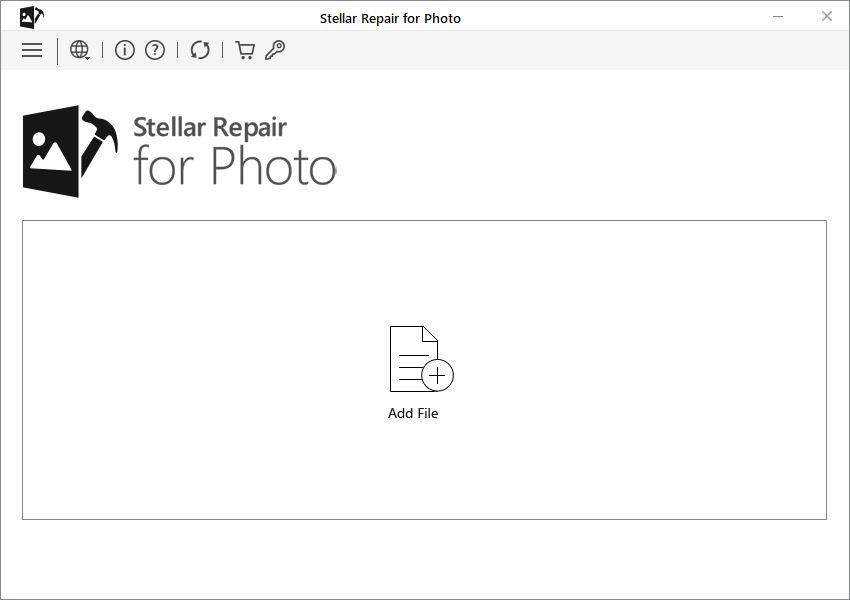
- Next, launch the software and you will find the interface asks to add the corrupt photos.
- To begin the repair process, you’ll need to add the photos you want to repair. Click on the “Add File” button located in the center of the interface.
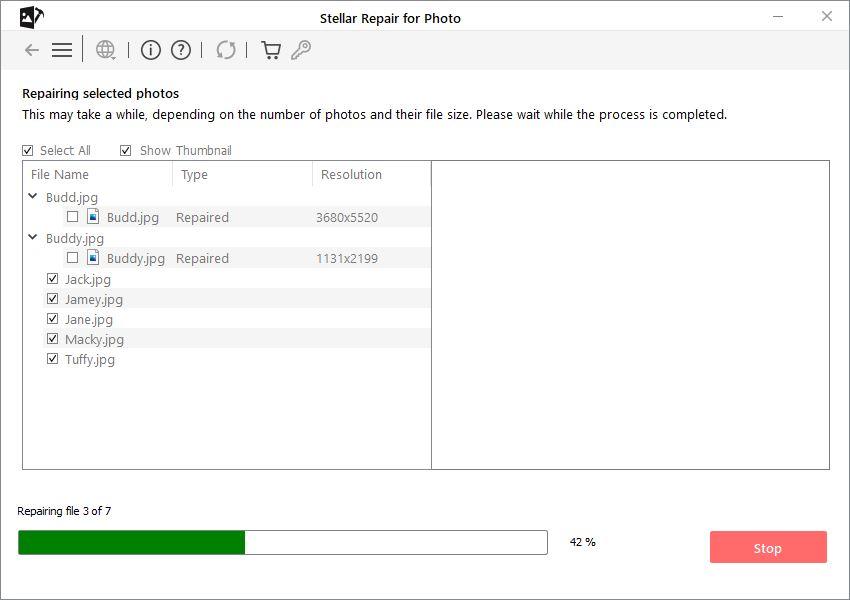
- Once the files are added to the software, click on the “Repair” button to start the repair process.
During the repair process, Stellar Repair for Photo uses advanced algorithms to fix issues like broken headers, pixelation, and inaccessible images.
- After the repair is complete, the software provides a preview of the repaired images.
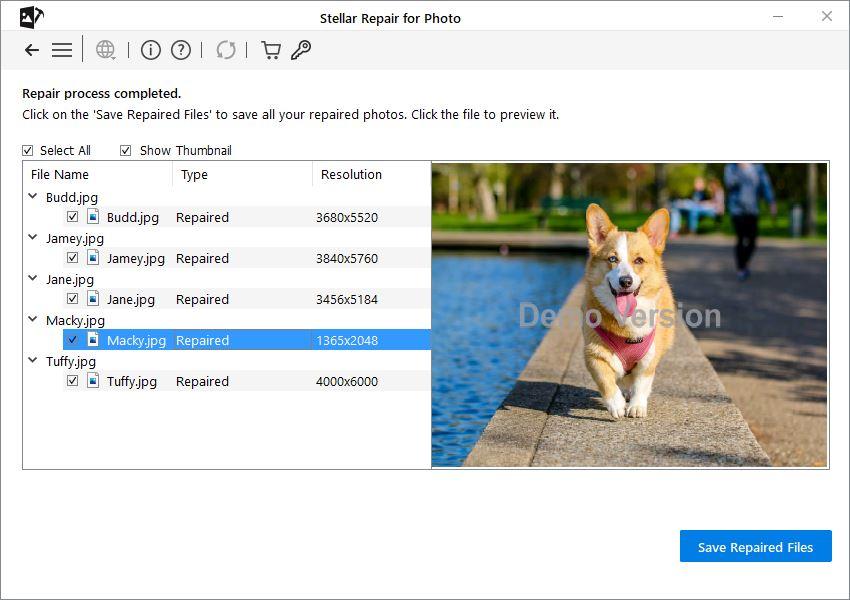
- Once you’re satisfied with the repairs, you can save the restored images to your computer. Click the “Save Repaired Files” button, choose a destination folder, and the software will export the repaired images to that location.
It’s always recommended to save the repaired photos in a different location from the original corrupted files to avoid overwriting and further corruption.
Performance of Stellar Repair for Photo:
With our rigorous testing and analysis, we can confidently say that Stellar Repair for Photo is a reliable tool to repair corrupt images. For RAW image formats, the software shows similarly strong performance. However, in cases where the damage to an image is extremely severe, the software does require the sample file to advance repair the photos. The software was able to repair many of the files and for some extremely corrupt files, it extracted the thumbnail out of it.
On the plus side, the software rarely crashes and works quickly, depending on the size and number of images being repaired simultaneously.
Pricing and Value for Money:
Stellar Repair for Photo offers a free version, which allows users to preview repaired images but not save them. This trial version is useful for testing the software before making a purchase decision.
The full version, Standard version has the ability to save repaired images and costs around $39.99 for a one-year license. Along with repairing corrupt files, the Professional version, which only cost $59.99, can recover any deleted photos, videos and audio files from any storage device. It also has a Premium version that cost $69.99, which can even repair and recover any corrupt photos and videos from any storage media.
Conclusion:
With our testing Stellar repair for Photo makes it easy to repair corrupted or damaged photos with just a few clicks. Its intuitive interface, batch processing capability, and support for multiple image formats, including RAW files, ensure that both amateur and professional photographers can restore their images with minimal effort.
Overall, Stellar Repair for Photo is worth considering for photographers who want an easy and reliable way to recover their images.
Cheers!