The Surface Duo generated a lot of interest for its dual-screen setup. Such a configuration could help almost any professional to improve their productivity, since having two screens allows us to do more things simultaneously when we are away from our PC.
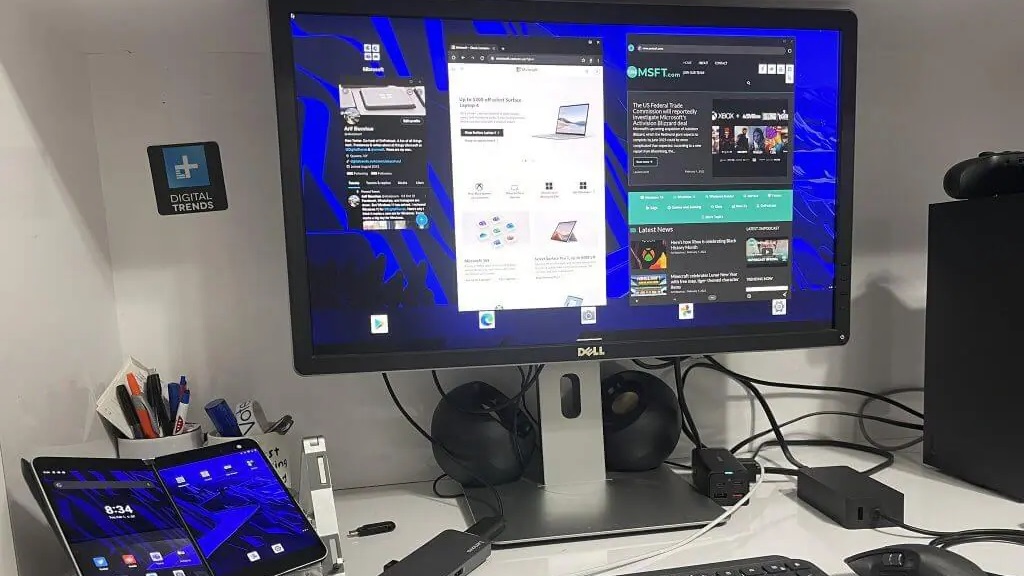
However, Microsoft did not hesitate to turn the Surface Duo into an interesting solution not only for when we are on the move, but also for when we are at home or in the office and we have a monitor in front of us, since it integrated a PC mode that is “hidden”. Said mode is present on both the Surface Duo and the Surface Duo 2.
When activating PC mode we can turn the Surface Duo into an Android-based mini PC, but if it is hidden, how can we do it? Well, it’s very simple, we have to enter the options for developers and activate the selection that you can see in the attached image (activate «Force Desktop Mode» and «Activate Freeform Windows»).
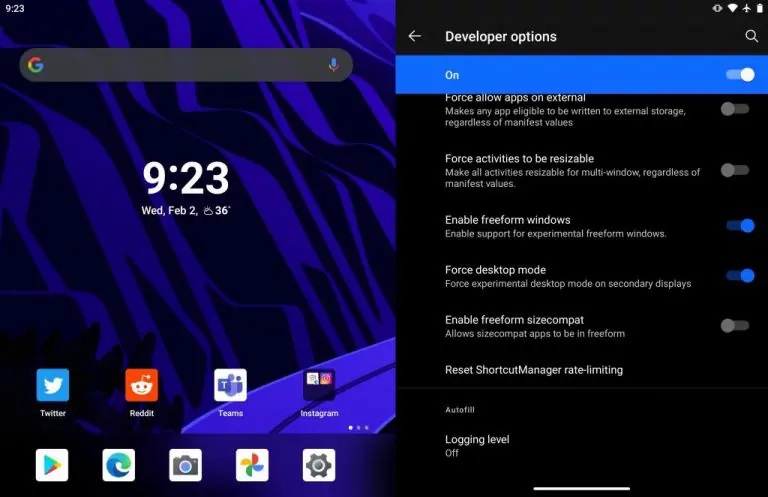
When we have activated the corresponding options, we have to restart the Surface Duo and connect it to an external screen using a USB Type-C cable. Keep in mind that you’ll also need a mouse and keyboard, and these can be connected wirelessly via Bluetooth.
And what can we do in that PC mode? Well, basically the same as with the device when it works in a mobile version, only through a larger screen. We can also continue to use the Surface Duo to open applications other than those we have on the larger screen. It is interesting, and can be useful in certain situations, but the experience it offers can be improved, since It has minor bugs and can experience occasional crashes.
We hope that Microsoft keep working and improving this way, since as we have said it is an interesting tool and represents a clear added value.