
Choosing a free AI image generator sounds simple until you compare the limits. One tool may offer recurring credits; another may provide only a short trial. Local models avoid platform fees but still require suitable hardware, electricity, and setup.
This guide compares 15 options by access type, stated limits, intended use, and commercial-rights caveats. It separates ongoing free access from trial offers and software you run yourself. We checked the linked official information on October 12, 2026. Plans, available models, and terms can change, so confirm the current rules before publishing or selling an image.
There is no universal best choice for every prompt. Gemini, Meta AI, and ChatGPT offer general-purpose creation; Ideogram suits text-led designs. Canva and Firefly combine generation with design tools, while Stable Diffusion 3.5 and FLUX.2 Klein 4B offer local control.
Key findings: choose by workflow, not the word “free”
- For conversational creation: Gemini and ChatGPT support prompt-based image generation, with ChatGPT also supporting iterative edits.
- For social and marketing layouts: Canva Magic Media and Adobe Firefly combine image creation with broader design workflows.
- For text inside images: Ideogram is a design-focused option to compare for posters, labels, and similar concepts.
- For recurring account allowances: Leonardo.Ai, Krea, Playground AI, and NightCafe publish different credit or generation limits.
- For local control: Stable Diffusion 3.5 and FLUX.2 Klein 4B can be run locally, subject to hardware and license terms.
- Free does not mean unlimited, private, exclusive, or cleared for every commercial use. Check the exact plan, model, and output terms.

15 free AI image generators in 2026
1. Google Gemini: a conversational starting point
What it is: Gemini can create and edit images from prompts. Google describes image generation as available at no charge.
Free access and limits: Google’s image-generation page does not establish one permanent, universal free quota. Availability and limits may vary by account or product conditions.
Limits and costs: Check the current product experience before planning a large batch. A no-charge option should not be treated as unlimited access.
Our assessment: Gemini is a reasonable starting point for describing an image and refining it conversationally. Its published information does not support promising a fixed number of free images.
Skip it if: You need a guaranteed, published image allowance for scheduled production.
Google’s image-generation page
2. Meta AI: image creation within Meta apps
What it is: Meta AI offers image generation through its web and app experiences, as well as supported Meta apps.
Free access and limits: Meta says image generation is free. Availability and some features vary by country.
Limits and costs: Regional availability can affect which features you can access. Check the product where you plan to create or share images.
Our assessment: Meta AI fits casual creation and workflows already centered on Meta apps. Its official information supports free access, but not a fixed universal quota.
Skip it if: You need the same feature set across every country or app.
Meta AI’s image-generation information
3. ChatGPT Images: create and revise through conversation
What it is: ChatGPT supports image generation and editing through its Images feature. You can describe changes in conversation rather than relying only on a new prompt.
Free access and limits: OpenAI says image generation is available on the Free tier. It has separate usage limits, which can change. The reviewed help pages do not set one universal free image count.
Limits and costs: Access can be subject to usage caps. Check the current account experience before depending on it for repeated production.
Our assessment: ChatGPT suits people who want to refine a concept with follow-up instructions. Avoid planning around a fixed quota that OpenAI does not publish in the reviewed pages.
Skip it if: Your workflow requires a guaranteed output count.
OpenAI’s ChatGPT Images FAQ and Free Tier FAQ
4. Microsoft Designer Image Creator: quick browser-based concepts
What it is: Microsoft Designer is a design tool that includes image creation. Microsoft describes Designer as free to use.
Free access and limits: Microsoft says a subscription may be required for more frequent creation. The company does not establish one fixed free allowance in the cited FAQ.
Limits and costs: Microsoft warns that generated image text may contain spelling errors. Inspect any image that includes visible wording.
Our assessment: Designer can suit quick concepts and simple social graphics. Its spelling warning makes a careful text check important before publication.
Skip it if: You need accurate typography without manual review.
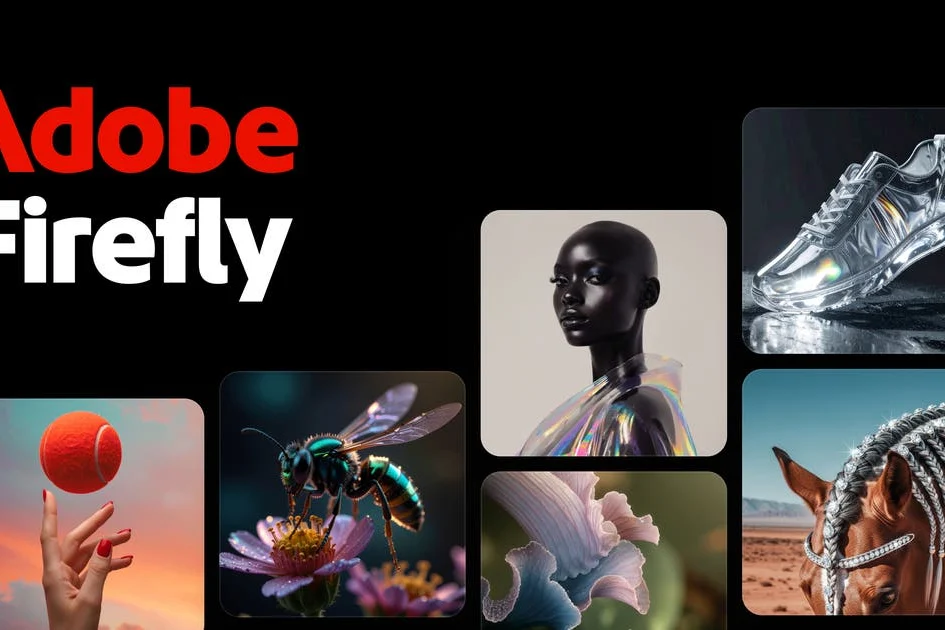
5. Adobe Firefly: image creation with editing tools
What it is: Firefly offers image generation and related creative tools. It may fit creators who already work in Adobe products.
Free access and limits: Adobe says Firefly Free includes limited daily generations. Its limits, available features, and models can change.
Limits and costs: Adobe distinguishes its own Firefly models from partner models. Do not assume every model has identical commercial-use terms.
Our assessment: Firefly is worth comparing if you want image creation inside an Adobe-oriented workflow. Before using an output commercially, check which model generated it and the applicable terms.
Skip it if: You need unlimited daily generations or assume all included models share one license.
Adobe Firefly plans and Adobe’s generative credits FAQ
6. Canva Magic Media: generate and finish a design in one place
What it is: Canva Magic Media creates images from text prompts inside Canva. You can then work with the result in a design layout.
Free access and limits: Canva documents AI usage allowances, but the reviewed information does not support one fixed free-tier image count here.
Limits and costs: Canva says users own what they create, subject to its terms. It also warns that copyright laws vary and exclusivity may not apply.
Our assessment: Canva can suit social posts, presentations, and marketing layouts that need a finished design. Its ownership language does not guarantee exclusive rights or copyright protection.
Skip it if: You require exclusive rights or a guaranteed legal outcome.
Canva Magic Media guidance and Canva’s AI usage information
7. Ideogram: a design-focused choice for visible text
What it is: Ideogram is an image-generation tool suited to design-led concepts, including images that need readable text.
Free access and limits: Its official plans page lists a free plan at $0, with weekly slow credits for eligible accounts.
Limits and costs: Credits describe access, not a guaranteed number of finished images. Check current plan details and account eligibility.
Our assessment: Ideogram is a useful option for posters, labels, and text-led concepts. Compare its results with your actual wording before choosing it for final artwork.
Skip it if: You need a fixed daily image quota rather than a credit-based plan.
Ideogram plans and Ideogram documentation
8. Leonardo.Ai: daily tokens and creative controls
What it is: Leonardo.Ai provides image-generation tools and creative controls for making and refining visual concepts.
Free access and limits: Its pricing page lists 150 fast tokens per day on the Free plan. Tokens do not equal a fixed number of images.
Limits and costs: Leonardo says free creations are public. Its terms grant free users a non-exclusive, royalty-free commercial-use license, while Leonardo retains specified rights.
Our assessment: Leonardo may suit users who want recurring daily access and guided creative options. Public visibility and non-exclusive rights matter for business work.
Skip it if: You need private creations or exclusive ownership under the free plan.
9. Krea: daily compute units and model exploration
What it is: Krea offers image-generation and creative tools, including access to different models and operations.
Free access and limits: Krea lists 100 compute units per day on its Free plan. The output count depends on the model and task.
Limits and costs: Compute units are not a fixed image allowance. Krea presents commercial license coverage for generated content, so review its current terms.
Our assessment: Krea is an option for visual experimentation if you want to explore different model choices. Its daily units describe an account limit, not a promised image count.
Skip it if: You need a guaranteed number of images from each daily allowance.
10. Playground AI: recurring access with model restrictions
What it is: Playground AI provides image creation and design tools through a hosted service.
Free access and limits: Its pricing page lists up to 10 images every three hours for limited generation. The Free plan also lists three monthly generations across specified premium models.
Limits and costs: Different models have different limits. Check the current plan breakdown before building a workflow around a particular model.
Our assessment: Playground offers recurring access with clearly differentiated allowances. The premium-model limit makes it important to check which generation option you select.
Skip it if: You need unrestricted access to its specified premium models.
Playground AI pricing and its free-plan limits. For a walkthrough, see this Playground AI tutorial.
11. NightCafe: daily credits and a community setting
What it is: NightCafe is an AI art service with multiple models and a community component.
Free access and limits: Its Help Center says users can claim a daily top-up of 5 credits. Credits are claimed daily.
Limits and costs: The number of images depends on the selected model and settings. Five credits do not represent a guaranteed image count.
Our assessment: NightCafe may suit people who want to compare styles and use a credit-based workflow. Check the cost shown for a model before spending credits.
Skip it if: You want an exact, fixed number of images each day.
NightCafe’s free-credit guidance
12. Pixlr AI Image Generator: separate the free tier from its trial
What it is: Pixlr offers an AI image generator alongside browser-based editing tools.
Free access and limits: Pixlr advertises a free tier. Its current seven-day trial offer for new users includes 250 AI credits, which it says can produce up to 75 images.
Limits and costs: The trial credits are a promotional trial allowance, not a permanent daily quota. Check the offer and terms before signing up.
Our assessment: Pixlr can suit a workflow that combines image generation and browser editing. Keep its trial allowance separate from any ongoing free access in your comparison.
Skip it if: You need an ongoing free allowance and are counting on trial credits.
Pixlr’s AI Image Generator page
13. Craiyon: simple, low-stakes experimentation
What it is: Craiyon is a text-to-image generator for making visual concepts from prompts.
Free access and limits: Its pricing page describes free access. The cited information does not provide a fixed free image allowance.
Limits and costs: Craiyon says free users must credit Craiyon when using images. Follow the current attribution requirement where it applies.
Our assessment: Craiyon may be useful for early concepts when attribution is acceptable. Review its current plan details before relying on it for a larger project.
Skip it if: Your publication cannot include the required credit.
14. Stable Diffusion 3.5: local generation and control
What it is: Stability AI provides model weights and inference code for Stable Diffusion 3.5 that can be run locally.
Free access and limits: Local use avoids a per-image platform fee. The model’s Community License permits free use within its stated eligibility conditions, including commercial use for organizations under $1M annual revenue.
Limits and costs: Local generation requires suitable hardware, electricity, and setup. The applicable model and license matter, so read the current license before commercial use.
Our assessment: Stable Diffusion 3.5 suits users who want local control and can manage the technical requirements. “Free” here does not remove equipment costs or license obligations.
Skip it if: You want a hosted tool without installation or hardware requirements.
Stability AI’s Stable Diffusion 3.5 announcement and current license
15. FLUX.2 Klein 4B: local weights with Apache 2.0
What it is: FLUX.2 Klein 4B is a model intended for local use, giving users more control over where generation runs.
Free access and limits: Black Forest Labs identifies this specific model as open weights under Apache 2.0, including free commercial use.
Limits and costs: Local use still involves hardware and setup. FLUX [dev] has a separate license, so do not assume its terms apply to FLUX.2 Klein 4B or vice versa.
Our assessment: FLUX.2 Klein 4B is worth considering when local control and its specific license fit your workflow. Confirm the exact model name before downloading or using it commercially.
Skip it if: You cannot manage local setup or need a hosted service.
Black Forest Labs’ licensing guide and FLUX [dev] terms
At-a-glance comparison
| Tool | Free access | Stated allowance | Best suited to | Key caveat |
|---|---|---|---|---|
| Gemini | Hosted free access | No universal fixed quota stated | Conversational creation and editing | Check account limits |
| Meta AI | Hosted free access | No fixed quota stated | Casual creation in Meta apps | Availability varies by country |
| ChatGPT Images | Free tier with limits | Separate limits can change | Iterative conversational edits | No universal image count stated |
| Microsoft Designer | Free service | Subscription may be needed for more frequent creation | Quick concepts and graphics | Generated text can contain errors |
| Adobe Firefly | Free plan | Limited daily generations | Adobe-oriented creative workflows | Model terms may differ |
| Canva Magic Media | AI usage allowance | Check current account allowance | Finished layouts and social designs | Exclusivity is not assured |
| Ideogram | Free plan | Weekly slow credits for eligible accounts | Text-led design concepts | Credits are not fixed image counts |
| Leonardo.Ai | Free plan | 150 fast tokens per day | Styles and guided iteration | Free creations are public |
| Krea | Free plan | 100 compute units per day | Model exploration | Output depends on task and model |
| Playground AI | Free plan | Up to 10 images every three hours; three monthly premium-model generations | Recurring hosted access | Limits vary by model |
| NightCafe | Daily credit top-up | 5 credits daily | Style exploration and community | Image cost varies |
| Pixlr | Free tier and trial offer | Trial: 250 credits over seven days, up to 75 images | Generation plus browser editing | Trial is not recurring access |
| Craiyon | Free access | No fixed allowance stated | Quick concepts | Free users must credit Craiyon |
| Stable Diffusion 3.5 | Local model weights | No per-image platform fee | Local control and customization | Hardware, setup, and license apply |
| FLUX.2 Klein 4B | Local model weights | No per-image platform fee | Self-hosting and local control | Confirm this model’s specific license |
Best free AI image generator by task
- For beginners and conversational editing: Compare Gemini and ChatGPT. Both support prompt-led workflows, but ChatGPT’s Free tier has usage limits.
- For social and business designs: Canva Magic Media, Adobe Firefly, and Microsoft Designer connect image creation with design tasks.
- For readable text inside an image: Start with Ideogram, then inspect spelling and layout before publishing.
- For recurring account allowances: Compare the actual token, unit, credit, or image limits shown by Leonardo, Krea, Playground, and NightCafe. These measures are not interchangeable.
- For privacy and local control: Consider Stable Diffusion 3.5 or FLUX.2 Klein 4B, after checking hardware needs and the exact model license.
For a broader shortlist, see our guide to AI image generators to try. A shared prompt can help you compare outputs, but results depend on the selected model and settings.
How to use a free AI image generator
- Choose based on the final asset. Use a design editor for a ready-to-publish layout, a text-focused tool for a poster, or local weights when control matters most.
- Write a specific prompt. Include the subject, setting, composition, lighting, visual style, and aspect ratio. Put exact wording in quotation marks, then verify the result carefully.
- Generate and inspect the image. Check spelling, anatomy, hands, logos, faces, and background details. Revise one issue at a time rather than changing every instruction.
- Review export and usage terms. Check resolution, watermarks, public or private status, attribution, and model-specific license language.
- Keep a record for business work. Save the prompt, generation date, tool, model, plan tier, and relevant terms.
Commercial use: check the exact model and plan
A free generation allowance does not, by itself, settle every rights question. Separate the platform’s permission to use an output from copyright protection, third-party rights, privacy, and exclusivity.
- Check the exact model. Adobe distinguishes its own Firefly models from partner models. Stability AI use depends on the model and applicable license.
- Check the plan terms. Leonardo describes a non-exclusive commercial-use license for free users and says free creations are public.
- Confirm model variants. FLUX.2 Klein 4B has Apache 2.0 terms, while FLUX [dev] has separate terms.
- Review recognizable material. Treat brand marks, copyrighted characters, and identifiable people as issues requiring review before commercial publication.
- Protect sensitive inputs. Confirm visibility, privacy, and data settings before entering confidential business material.
Canva cautions that copyright laws vary and exclusivity may not apply. For a business deliverable, read the provider’s current terms instead of relying on a general “commercial use” label.
Common mistakes when comparing free tools
- Counting a limited trial as an ongoing free plan.
- Turning tokens or compute units into an unsupported image count.
- Assuming free means unlimited, private, watermark-free, or exclusive.
- Using old quota figures without checking the vendor’s current page.
- Assuming two model variants share the same commercial license.
- Comparing tools with different prompts and calling one universally best.
Midjourney is not included as a generally free web or Discord generator. Its official documentation says there is currently no free trial on Discord or midjourney.com; a limited Niji Journey app trial is separate.
Midjourney’s free-trial information
Frequently asked questions
What is the best free AI image generator in 2026?
There is no single best choice for every use. Gemini and ChatGPT suit conversational creation, Canva and Firefly suit design workflows, and Ideogram is an option for text-led images. Compare tools using the same prompt and your actual account limits.
Which free AI image generator allows commercial use?
Several providers publish commercial-use terms, but permission depends on the exact tool, plan, and model. Leonardo describes a non-exclusive commercial-use license for free users. FLUX.2 Klein 4B is identified under Apache 2.0. Read the current terms before using outputs commercially.
Are there unlimited free AI image generators?
Hosted tools may impose usage limits, credits, or other restrictions. Local models can avoid per-image platform charges, but they require hardware, electricity, setup, and license compliance.
Is Midjourney free?
Midjourney’s official documentation says it currently has no free trial on Discord or its website. A limited trial on the Niji Journey app is a separate offer.
Do free AI image generators add watermarks?
Watermark behavior can differ by provider, model, and plan. Check the export settings and current product terms before publishing an image.
Can I use generated images in a business blog or advertisement?
Possibly, but first review the tool’s license, privacy settings, attribution rules, and relevant trademark or likeness concerns. Do not treat free access as automatic commercial clearance.
Verdict: match the tool to the work
Choose a hosted tool for convenience, a design editor for ready-made layouts, or local weights for greater control. Then verify the allowance and license for the exact model you plan to use.
Free access can change, and trial credits can end. Recheck the official terms before relying on any generator for a business deliverable.