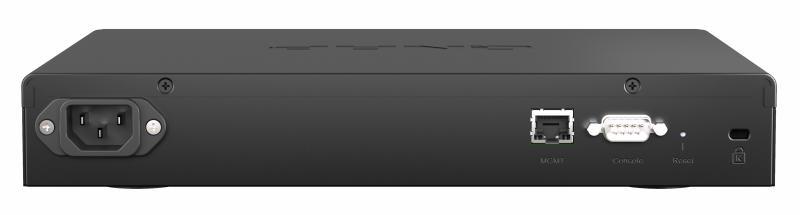
On the back of this switch we can see the AC power socket, so it has an internal power supply. We can also see the Gigabit port for administration, the RS232 console port that it incorporates, the RESET button and even the Kensington connector to prevent theft.
Other very important features of this managed switch is that it has a MAC address table of up to 32K, we have a non-blocking performance of 410Gbps and a switching capacity of 820Gbps. Of course, this model has support for Jumbo Frames up to 9K in length, in order to fully optimize the transfer of very large files. To properly cool the internal components of the switch, this model has a fan to extract hot air from inside.
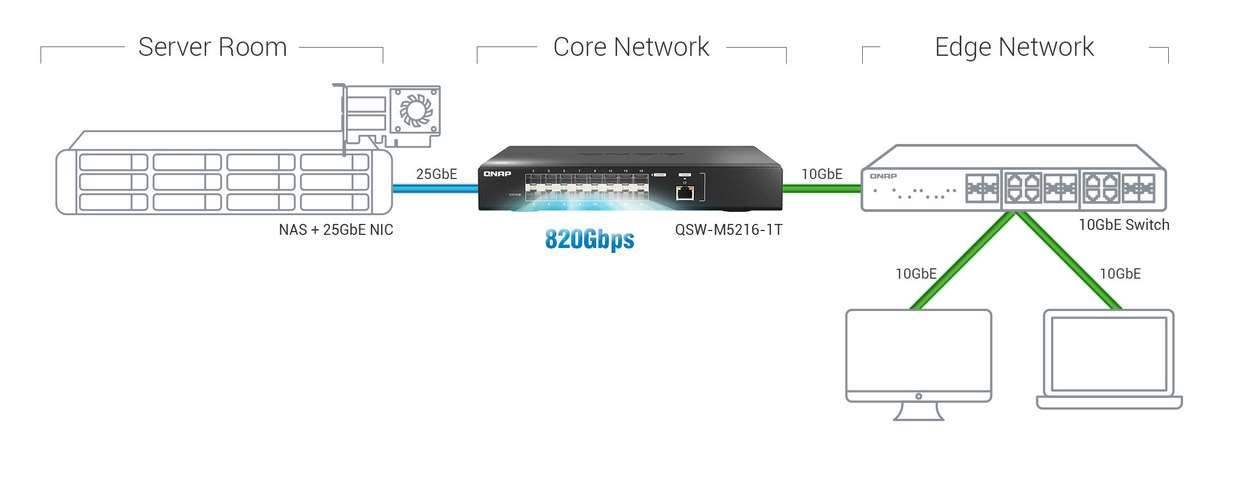
This switch is designed to be placed in the core of the network, providing great performance for all servers that have cards with SFP28 ports. We can also create a trunk link at 25Gbps speed with other switches, and we can even use the 10GBASE-T Multigigabit port to connect a QNAP 10G switch that only has copper ports. In the following diagram you can see how this managed switch would be configured together with other equipment:
This new switch has an internal power supply with a maximum power consumption of 80W, it can be placed both on a table and in a rack, since it comes with all the necessary accessories for it. The dimensions of this equipment are 43.5mm high, 285mm wide and 237.7mm deep and it weighs 2.15Kg.
Regarding the software features, we have the same functionalities as always, in this case we are talking about a pure L2 switch, without any L3 features such as creating static routes or the possibility of configuring Inter-VLAN routing. Below, you can see all the features:
- Port management: we can manage all the SFP28 and 10G ports through the graphical interface, defining different configuration options, speeds, duplex and more.
- VLANs. We will be able to create several VLANs and configure them as untagged or tagged by port, ideal for segmenting the professional local network in an advanced way and avoiding security problems.
- Link Aggregation: we have the possibility of link aggregation, so we can establish links of more than 25Gbps without any problem.
- RSTP: to avoid loops at the link layer level of the OSI model, this switch has the Rapid Spanning-Tree Protocol to avoid these loops and allow trunk link redundancy.
- LLDP: This model also incorporates this discovery protocol.
- IGMP Snooping: if there is Multicast traffic on the network, having IGMP Snooping is essential so as not to saturate with unknown traffic.
- ACL: We can create access control lists to allow or deny network traffic easily and quickly.
- QoS: thanks to this feature, we can prioritize the use of the bandwidth of the different ports, in order to optimize the allocation of network resources.
As you can see, we have all the usual functionalities that all QNAP switches incorporate. Now that we know the main features of this switch, we are going to show you the video review that we have made.
Videoreview of this switch at 25Gbps speed
At RedesZone we have had the opportunity to thoroughly test this new switch that works at a speed of 25Gbps. For performance testing, we used our main test PC with an AMD Ryzen 3800X processor and also the QNAP TS-1277 NAS server that has an AMD Ryzen 7 2700 processor. So we shouldn’t have any bottlenecks with these machines. so powerful
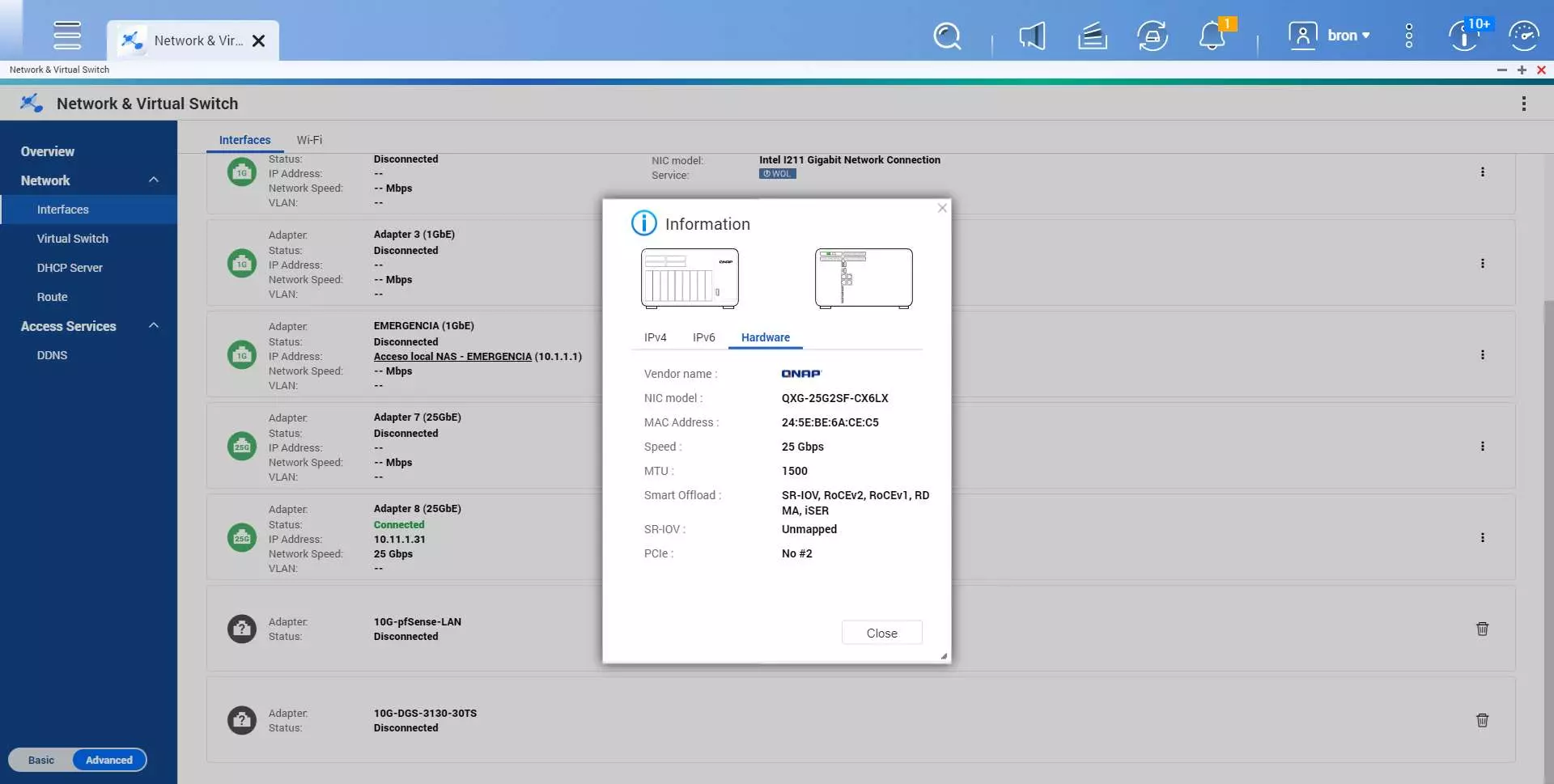
The network card used in the tests is the QNAP QXG-25G2SF-CX6, this card has 2 SFP28 ports with support for Port Trunking to combine them into a single logical link, however, we have only used a 25Gbps link to perform tests. As for the cables, we have used 1.5 meter QNAP CAB-DAC15M-SFP28 cables to connect the network cards with the switch and start exchanging network traffic.
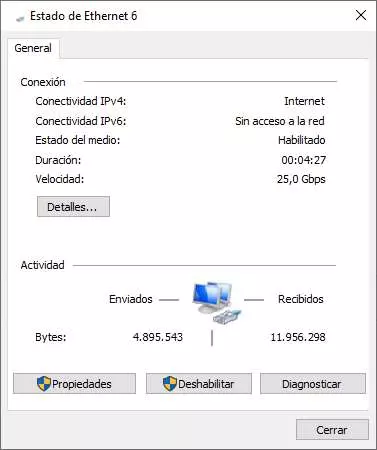
In the following video you can see the unboxing of the switch, the network cards and also the cables, as well as their technical specifications. Finally, we have carried out speed tests using the aforementioned equipment, making use of the popular iperf3 program, both on the Windows 10 PC and also on the QNAP TS-1277 NAS server.
In the tests carried out, we have used the PC with Windows 10 to execute the different iperf3 tests, both in the upload direction and in the download direction. Below, you can see the performance achieved:
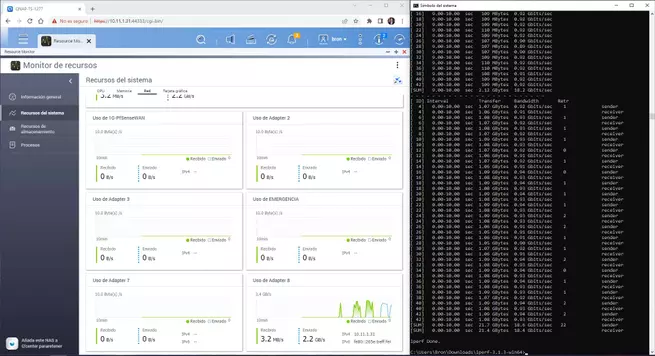
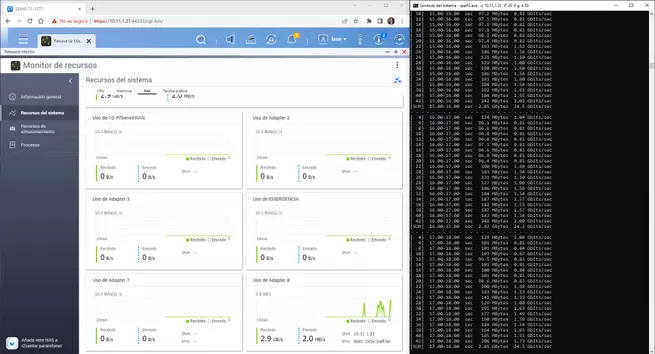
In the following video you can see the unboxing, performance tests carried out and also how is the firmware of this manageable switch.
As you can see in the video, the performance we have achieved with this switch and the different equipment is really spectacular, and this switch from the manufacturer QNAP is the fastest we have tested to date.