Here’s a list of top 20 attendance tracking software in 2025. Explore features, pricing, and benefits to find the best tool for your business. Simplify payroll, ensure compliance, and boost productivity with our detailed guide.
Managing employee attendance is a critical task for any organization. Whether you’re running a small startup or leading a global enterprise, tracking time accurately ensures smooth payroll, compliance, and productivity.
In 2025, attendance tracking software offers advanced features like GPS tracking, AI-driven insights, and seamless integrations. To help you choose the best tool, we’ve compiled a detailed list of the top 20 attendance tracking software solutions for 2025.
With the rise of hybrid work, remote teams, and deskless employees, attendance tracking has evolved significantly. Modern tools now integrate with payroll systems, provide mobile accessibility, and ensure compliance with labor regulations.
For instance, features like geofencing and facial recognition enhance accuracy for field workers. In this article, we’ll guide you through each software’s offerings, highlighting what makes them stand out.
Let’s dive into the top 20 solutions, carefully selected to streamline your operations and meet your business needs.

Why Attendance Tracking Software Matters in 2025
Tracking attendance goes beyond clocking in and out. It’s about understanding your workforce, ensuring fair compensation, and staying compliant with labor laws.
Manual timesheets are error-prone and time-consuming, often leading to costly mistakes. By contrast, modern software automates these processes, saving you valuable time and reducing errors.
Additionally, with remote and hybrid work models becoming standard, you need tools that adapt to flexible schedules and diverse locations.
These platforms provide real-time data, mobile access, and integrations with HR and payroll systems. For example, they help you monitor attendance patterns, manage leave requests, and forecast labor costs.
Whether you’re a small business or a large corporation, the right software can transform how you manage your team. To illustrate, let’s explore the top 20 solutions that excel in these areas, starting with their key features and benefits.

1. Workable HR: In-Depth Reporting for HR Pros
Workable HR is a comprehensive HR platform with robust attendance tracking capabilities. If you’re seeking a tool that combines attendance trackingWITH hiring and HR management, Workable HR is a strong choice.
Its detailed reporting features provide actionable insights, making it ideal for data-driven HR professionals.
Key Features
- Customizable Reports: Generate detailed attendance reports for payroll, compliance, or workforce planning.
- Time-Off Management: Employees can submit leave requests through an integrated calendar, with streamlined manager approval workflows.
- Timesheet Approvals: Managers review and approve timesheets via an intuitive dashboard.
- Integrations: Syncs with ADP, Xero, and BambooHR for seamless payroll and HR processes.
Why We Like It
Workable HR excels in flexibility. For instance, you can customize holiday schedules based on roles or locations, ensuring alignment across teams.
Moreover, its real-time analytics help you identify trends, such as frequent absences, allowing you to address issues proactively.
The platform’s user-friendly interface ensures both employees and managers can navigate it with ease, saving you time on training.
Best For
Mid-sized businesses needing in-depth HR analytics alongside attendance tracking.
Pricing
- Starts at $299/month.
- Free trial available.
Drawbacks
The pricing may feel steep for smaller teams. Additionally, some advanced features require extra setup, which could slow initial implementation.
How It Fits Your Needs
If you prioritize data-driven decisions, Workable HR’s reporting tools are a game-changer. You can track attendance, analyze labor costs, and ensure compliance without managing multiple systems.
Furthermore, its integrations make it ideal for businesses scaling their operations, ensuring a smooth transition as your team grows.
Visit their official website →here.
Also read: 10 Best GitHub Copilot Alternatives In 2025

2. Replicon: Global Time and Attendance Mastery
For businesses with global teams, Replicon’s Time & Attendance Suite is a standout. By leveraging AI, it simplifies time tracking and ensures compliance across regions. If you manage employees in multiple countries, Replicon’s robust features make it an excellent fit.
Key Features
- AI-Powered Timesheets: Automatically fills in timesheet details, reducing manual work.
- Global Compliance: Supports labor laws and pay rules for different regions.
- Mobile App: Employees can clock in/out using iOS or Android devices with Face ID or Touch ID.
- Geofencing: Tracks employee locations to prevent time theft.
Why We Like It
Replicon’s analytics offer deep insights into how attendance impacts productivity and costs. For example, you can generate reports on overtime or compliance with minimal effort.
The mobile app is particularly impressive, allowing remote workers to track time securely. Additionally, pre-built report templates save time when presenting data to stakeholders, making it a practical choice for busy managers.
Best For
Large organizations with international teams or complex compliance needs.
Pricing
- Starts at $6/user/month.
- 14-day free trial.
Drawbacks
The interface can feel complex for new users. Likewise, smaller businesses might find some advanced features unnecessary.
How It Fits Your Needs
Replicon is ideal for managing a distributed workforce. Its AI-driven tools reduce errors, while geofencing ensures accurate tracking for field employees.
Moreover, integrations with platforms like Salesforce and Workday make it a seamless addition to enterprise workflows, helping you stay organized and compliant.
Visit their official website →here.

3. BambooHR: Streamlined Timesheet Approvals
BambooHR is a top choice for small to mid-sized businesses. Its attendance tracking is part of a broader HR suite, offering a one-stop solution for employee management.
In particular, its timesheet approval system ensures no hours are missed or unapproved.
Key Features
- Automated Timesheets: Employees submit hours, and managers approve via a simple workflow.
- Leave Tracking: Manages PTO, sick leave, and vacation requests through a self-service portal.
- Mobile Access: iOS and Android apps enable on-the-go attendance management.
- HR Integration: Connects with payroll and performance management tools.
Why We Like It
BambooHR’s clean interface is easy for everyone to use, reducing the learning curve. For instance, the self-service portal empowers employees to manage their requests, freeing up HR time.
And, its compliance features ensure you meet labor regulations, while reporting tools help analyze attendance trends.
This makes it a versatile solution for growing businesses.
Best For
Small to mid-sized businesses seeking an all-in-one HR solution.
Pricing
- Starts at $6.19/user/month (billed annually).
- 7-day free trial.
Drawbacks
Advanced features may require add-ons, increasing costs. Similarly, the mobile app’s functionality is still improving in some areas.
How It Fits Your Needs
If your business is growing, BambooHR scales with you. Its automation reduces manual work, and the employee-focused design boosts engagement.
Consequently, you’ll streamline payroll preparation and keep your team aligned, saving time and effort.
Visit their official website →here.
Also read: MM0therearf: Your All-in-One Productivity Hub

4. Connecteam: GPS Tracking for Mobile Teams
Connecteam is a mobile-first platform tailored for deskless workers, such as those in construction, delivery, or retail.
Its GPS-based tracking and communication tools make it a top pick for businesses with field employees. Additionally, its affordability adds to its appeal.
Key Features
- GPS Time Tracking: Verifies employee locations during clock-ins to prevent time theft.
- Built-In Chat: Facilitates team communication within the app.
- Scheduling: Creates and manages shifts with real-time updates.
- Payroll Integration: Syncs with systems like QuickBooks for accurate payroll.
Why We Like It
Connecteam’s mobile app is intuitive, making it easy for employees to clock in from anywhere. For example, the geofencing feature ensures accuracy, especially for remote teams.
Moreover, the free plan for small teams is a rare find, offering robust features at no cost. This makes it accessible for businesses just starting out.
Best For
Businesses with mobile or field-based employees.
Pricing
- Starts at $29/month for up to 30 users, then $0.50/user/month.
- Free plan for up to 10 users.
- 14-day free trial.
Drawbacks
The mobile app has limited admin features. Likewise, pricing can add up for larger teams.
How It Fits Your Needs
If you manage a mobile workforce, Connecteam ensures accountability through GPS tracking. The chat feature keeps your team connected, and the scheduling tools save time.
So, you’ll streamline payroll and communication, making it a practical choice for busy managers.
Visit their official website →here.
5. When I Work: Flexible Scheduling for Hourly Workers
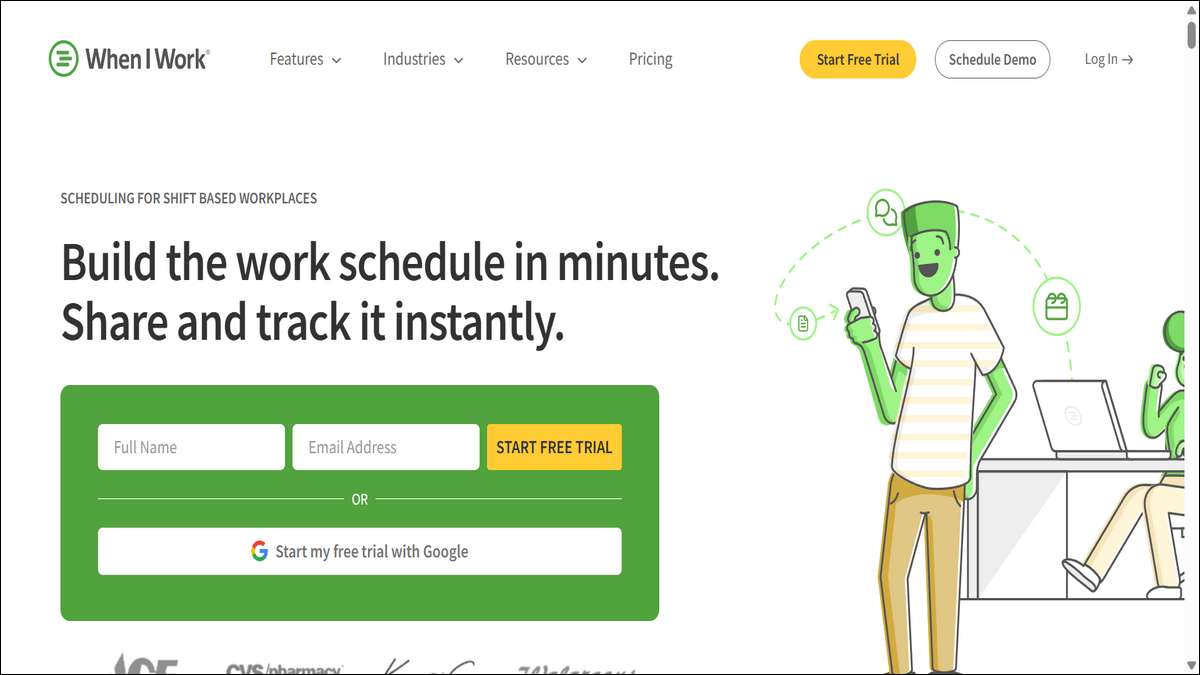
When I Work is designed for businesses with hourly employees, such as restaurants or retail stores. Its scheduling and time clock features are tailored for shift-based environments, simplifying complex schedules.
Furthermore, its user-friendly design enhances its appeal.
Key Features
- Shift Scheduling: Create, swap, or adjust shifts with ease.
- GPS Verification: Ensures employees clock in from the correct location.
- Labor Cost Tracking: Forecasts costs to keep budgets in check.
- Team Messaging: Built-in communication tools for shift updates.
Why We Like It
The platform’s mobile app allows employees to manage schedules and communicate with managers effortlessly.
For example, real-time notifications alert you to attendance issues or shift conflicts, preventing disruptions. Additionally, its payroll integration streamlines payment processing, saving you hours each pay period.
Best For
Shift-based businesses like retail or hospitality.
Pricing
- Starts at $2.50/user/month.
- Free trial available.
Drawbacks
Reporting features are basic compared to competitors. Similarly, it’s less suited for salaried employees.
How It Fits Your Needs
If you manage hourly workers, When I Work simplifies scheduling and tracking. You’ll reduce no-shows and control labor costs effectively.
Moreover, the mobile app empowers your team to stay engaged without constant oversight, improving overall efficiency.
Visit their official website →here.

6. Buddy Punch: Time-Off Requests Made Easy
Buddy Punch is a user-friendly tool that prioritizes simplicity. It’s ideal for businesses needing straightforward attendance tracking with robust time-off management.
Its cloud-based design ensures accessibility from anywhere, enhancing its practicality.
Key Features
- Time-Off Management: Employees request PTO, and managers approve with one click.
- Mobile Clock-In: Supports iOS and Android for remote tracking.
- Geofencing: Restricts clock-ins to specific locations.
- Payroll Integration: Syncs with QuickBooks and Paychex.
Why We Like It
Buddy Punch’s clean interface requires minimal training, making it easy to adopt. For example, the geofencing feature prevents buddy punching, ensuring accurate records.
Additionally, its detailed reports simplify payroll and compliance tasks, saving you time and effort.
Best For
Small to mid-sized businesses with straightforward needs.
Pricing
- Starts at $3.99/user/month + $19/month base fee.
- 14-day free trial.
Drawbacks
The base fee can be a hurdle for very small teams. Likewise, advanced analytics are limited.
How It Fits Your Needs
Buddy Punch is perfect for businesses seeking a no-fuss solution. It streamlines time-off requests and ensures accurate tracking, reducing payroll errors.
Furthermore, the mobile app keeps your team compliant on the go, making it a reliable choice.
Visit their official website →here.
Also read: Top 10 Lace Manufacturers in India

7. ClockShark: Built for Field Service Teams
ClockShark is tailored for field-based industries like construction or landscaping. Its robust features focus on tracking mobile workers, making it a top choice for businesses with employees on the move.
Additionally, its job-costing capabilities set it apart.
Key Features
- Real-Time Tracking: Monitors employee locations via GPS.
- Job Costing: Tracks time spent on specific projects or clients.
- Payroll Integration: Connects with QuickBooks and ADP.
- Mobile App: Enables easy clock-in/out for field workers.
Why We Like It
ClockShark’s geofencing and job-costing features ensure accurate time and profitability tracking. For instance, the mobile app works reliably even in low-signal areas, which is crucial for field teams.
Moreover, its reporting tools provide insights into labor costs and project efficiency, helping you make informed decisions.
Best For
Field service businesses like construction or HVAC.
Pricing
- Starts at $7/user/month + $16/month base fee.
- 14-day free trial.
Drawbacks
The pricing structure may not suit small teams. Similarly, some features require additional setup.
How It Fits Your Needs
If your team works on-site, ClockShark ensures accountability. You’ll save time on payroll and gain clarity on project costs.
Consequently, the app’s reliability makes it a favorite for field managers, streamlining operations effectively.
Visit their official website →here.

8. Clockify: Feature-Rich Free Plan
Clockify is a versatile tool with a generous free plan, making it ideal for startups or small teams. Its robust time-tracking and reporting features offer excellent value without a hefty price tag.
Furthermore, its flexibility makes it suitable for various industries.
Key Features
- Unlimited Tracking: Free plan includes unlimited users and projects.
- Multi-App Support: Tracks time across web, mobile, and desktop apps.
- Reporting: Provides detailed reports on time usage and productivity.
- Integrations: Syncs with Trello, Asana, and QuickBooks.
Why We Like It
Clockify’s free plan is a standout, offering features that competitors often charge for. The platform is easy to use, and its reporting tools help you understand team productivity.
Additionally, its customizable nature allows it to fit diverse business needs, making it highly adaptable.
Best For
Startups and small teams on a budget.
Pricing
- Starts at $3.99/user/month (billed annually).
- Free plan available.
- 7-day free trial.
Drawbacks
The free plan lacks advanced features like invoicing. Similarly, customer support can be slow for free users.
How It Fits Your Needs
Clockify is perfect if you’re starting small but want scalability. You can track time across multiple apps and generate reports without spending a dime.
As your business grows, premium plans offer additional functionality, ensuring a smooth transition.
Visit their official website →here.

9. Jibble: Free Forever Plan with Robust Features
Jibble offers a feature-rich free plan, making it a great choice for cost-conscious businesses. Its focus on simplicity and automation streamlines attendance tracking for teams of all sizes.
Moreover, its security features enhance its reliability.
Key Features
- Free Plan: Includes unlimited users, time tracking, and reports.
- Facial Recognition: Ensures accurate clock-ins.
- Geofencing: Restricts clock-ins to designated locations.
- Payroll Integration: Syncs with Xero and QuickBooks.
Why We Like It
Jibble’s free plan includes features that competitors charge for, such as facial recognition and geofencing. These tools add security, preventing time theft.
Additionally, the mobile app is intuitive, making it easy for employees to use, which reduces training time.
Best For
Startups and small businesses seeking free solutions.
Pricing
- Starts at $2.52/user/month.
- Free plan available.
Drawbacks
Premium features require a paid plan. Likewise, the interface may feel basic for advanced users.
How It Fits Your Needs
Jibble is ideal if you want a free, reliable tool with upgrade options. You’ll save costs while ensuring accurate tracking.
Furthermore, the facial recognition feature adds security for remote teams, making it a practical choice.
Visit their official website →here.
10. Hubstaff: Productivity Tracking for Remote Teams
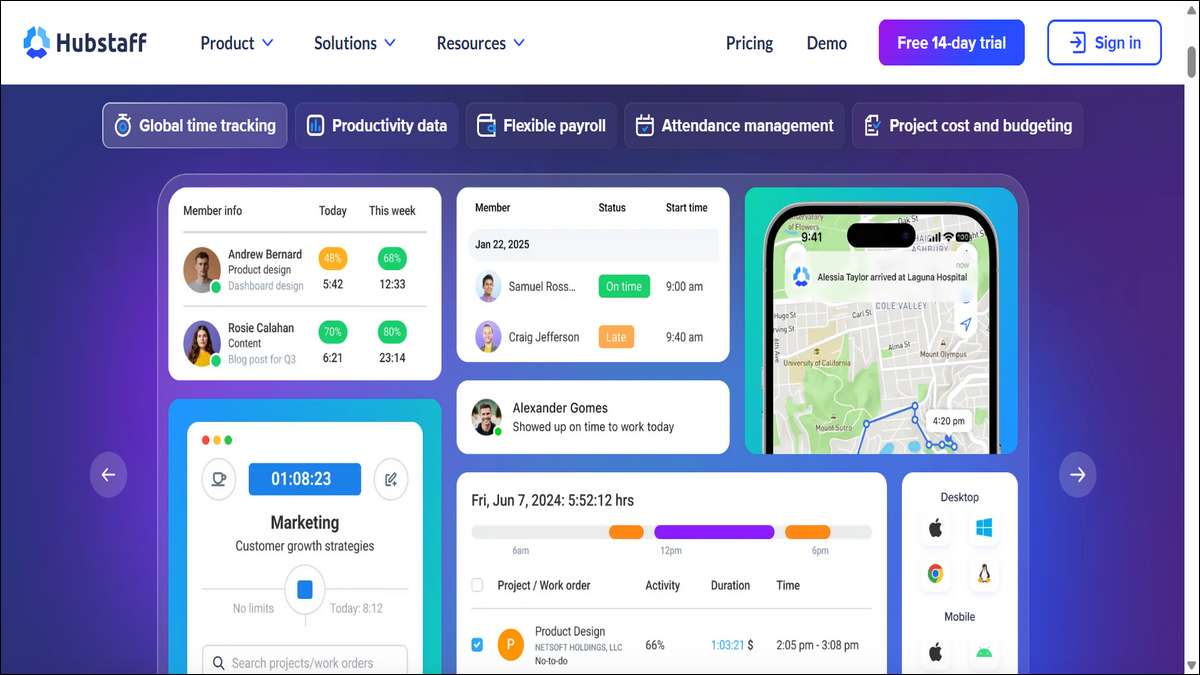
Hubstaff is a powerful tool for remote teams, offering detailed time tracking and productivity monitoring. It’s ideal for agencies or businesses needing insights into how time is spent.
And, its scalability makes it versatile.
Key Features
- Activity Monitoring: Tracks app usage and screenshots (optional).
- GPS Tracking: Verifies locations for mobile workers.
- Payroll Automation: Generates invoices and syncs with payroll systems.
- Integrations: Connects with Asana, Slack, and QuickBooks.
Why We Like It
Hubstaff’s analytics provide deep insights into productivity, helping you optimize team performance. For example, the GPS tracking feature is excellent for remote workers, ensuring accountability.
Moreover, the invoicing feature streamlines client billing, saving you time.
Best For
Remote teams and agencies needing productivity insights.
Pricing
- Starts at $7/user/month.
- Free plan for one user.
- 14-day free trial.
Drawbacks
Screenshots can feel invasive to employees. Similarly, advanced features have a learning curve.
How It Fits Your Needs
If you manage remote workers, Hubstaff keeps everyone accountable. You’ll appreciate the productivity reports and payroll automation, which improve efficiency.
Consequently, it’s a great fit for businesses prioritizing remote team management.
Visit their official website →here.
Also read: What is an Automation Architect? Explained

11. Zoho People: Affordable All-Rounder
Zoho People is a budget-friendly HR platform with strong attendance tracking features. It integrates seamlessly with other Zoho products, making it ideal for small businesses already using the Zoho ecosystem.
Furthermore, its affordability enhances its appeal.
Key Features
- Facial Recognition: Tracks time via secure clock-ins.
- Shift Management: Sets payable or non-payable break times.
- Mobile App: Allows employees to track time and request leave.
- Integrations: Syncs with Zoho Payroll, CRM, and third-party tools.
Why We Like It
Zoho People’s affordability and flexibility make it accessible for small teams. The facial recognition feature ensures accurate tracking, and the mobile app is user-friendly.
Additionally, its integration with Zoho’s ecosystem is a major advantage for existing users.
Best For
Small businesses using Zoho products.
Pricing
- Starts at $1/employee/month (billed annually).
- Free demo available.
Drawbacks
Advanced features require higher-tier plans. Likewise, non-Zoho integrations are limited.
How It Fits Your Needs
Zoho People is perfect if you’re in the Zoho ecosystem or need a cost-effective solution. You’ll appreciate the automation and ease of use, particularly for managing shifts and leave requests.
As a result, it simplifies HR tasks while keeping costs low.
Visit their official website →here.

12. Deel: Global Workforce Management
Deel is designed for companies with international employees, combining attendance tracking with global payroll and compliance. It’s a top choice for distributed teams needing seamless cross-border management.
Moreover, its comprehensive features make it stand out.
Key Features
- Global Payroll: Manages payments across 15+ countries.
- Time Tracking: Tracks hours for contractors and employees.
- Compliance Tools: Ensures adherence to local labor laws.
- Mobile Access: Employees can clock in via the app.
Why We Like It
Deel simplifies the complexities of global HR. Its time-tracking tools are straightforward, and the compliance features prevent legal issues.
Also, the clean interface makes it easy to manage diverse teams, enhancing efficiency.
Best For
Businesses with global or contractor-based teams.
Pricing
- Starts at $49/month.
- Free demo available.
Drawbacks
The interface isn’t as intuitive as some competitors. Similarly, some users report payment issues.
How It Fits Your Needs
If you’re expanding globally, Deel’s compliance and payroll features are invaluable. You can track attendance and pay employees across multiple countries with ease.
Furthermore, the mobile app keeps your team connected, ensuring smooth operations.
Visit their official website →here.
13. Truein: Face Recognition for Distributed Teams
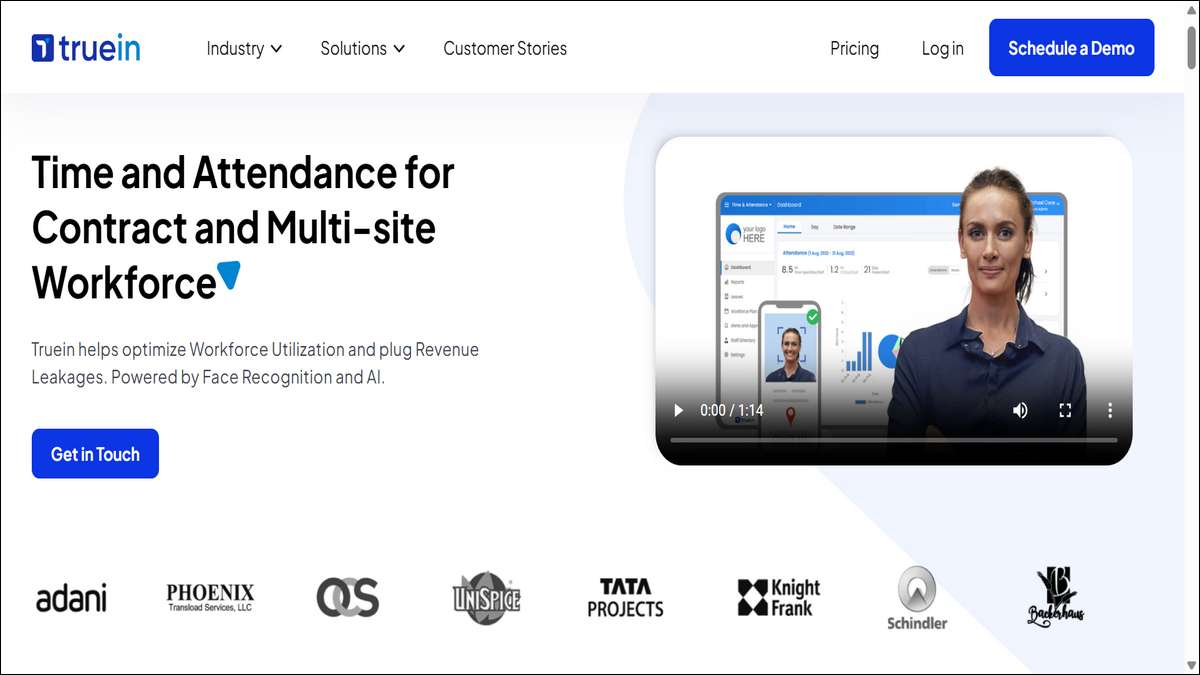
Truein is a specialized tool for contractual or distributed workforces. Its face recognition and geofencing features ensure accurate time tracking, particularly for mobile employees.
Additionally, its touch-free technology aligns with modern workplace needs.
Key Features
- Face Recognition: Secure clock-ins without hardware.
- Geofencing: Restricts clock-ins to specific locations.
- Custom Reports: Generates overtime and attendance reports.
- Timesheet Automation: Centralizes time data for payroll.
Why We Like It
Truein’s touch-free technology is ideal for modern workplaces. For instance, the face recognition feature is fast and secure, reducing buddy punching.
In addition, its customizable reports help you meet specific business needs, enhancing flexibility.
Best For
Contractual or field-based workforces.
Pricing
- Free demo available.
- Custom pricing.
Drawbacks
Pricing isn’t transparent. Likewise, face recognition requires stable internet.
How It Fits Your Needs
Truein is ideal for businesses with mobile or contractual workers. You’ll appreciate the security of face recognition and the ease of automated timesheets.
Consequently, it streamlines payroll and compliance, saving you time and effort.
Visit their official website →here.
Also read: Raterpoint: The Future of Ratings and Decision-Making
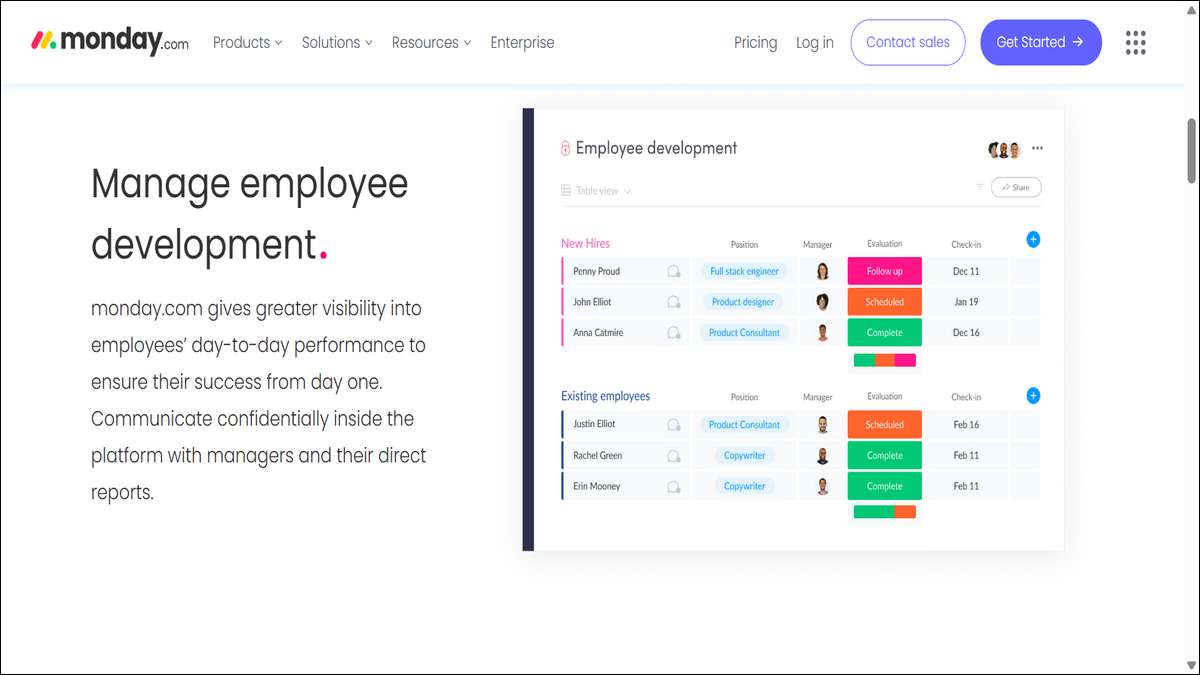
14. Monday.com: Customizable Time Tracking
Monday.com is a versatile work management platform with strong attendance tracking features. Its customizable templates allow you to tailor it to your business’s needs, making it highly adaptable.
Furthermore, its collaboration tools enhance team alignment.
Key Features
- Custom Templates: Create attendance tracking boards.
- Time Tracking: Monitors hours and leave requests.
- Integrations: Syncs with Slack, Trello, and payroll tools.
- Mobile App: Allows employees to update schedules on the go.
Why We Like It
Monday.com’s colorful interface is engaging and easy to use. You can customize workflows to fit your team’s unique needs.
Additionally, its collaboration tools keep everyone aligned, making it ideal for project-based teams needing attendance tracking.
Best For
Teams needing flexible, customizable tracking.
Pricing
- Starts at $9/user/month.
- Free demo available.
Drawbacks
It’s not a dedicated attendance tool, so some features may feel generic. Likewise, pricing can add up for larger teams.
How It Fits Your Needs
If you want a flexible platform that doubles as a project management tool, Monday.com is a great fit. You can track attendance and manage tasks in one place, boosting productivity.
As a result, it’s perfect for teams seeking versatility.
Visit their official website →here.
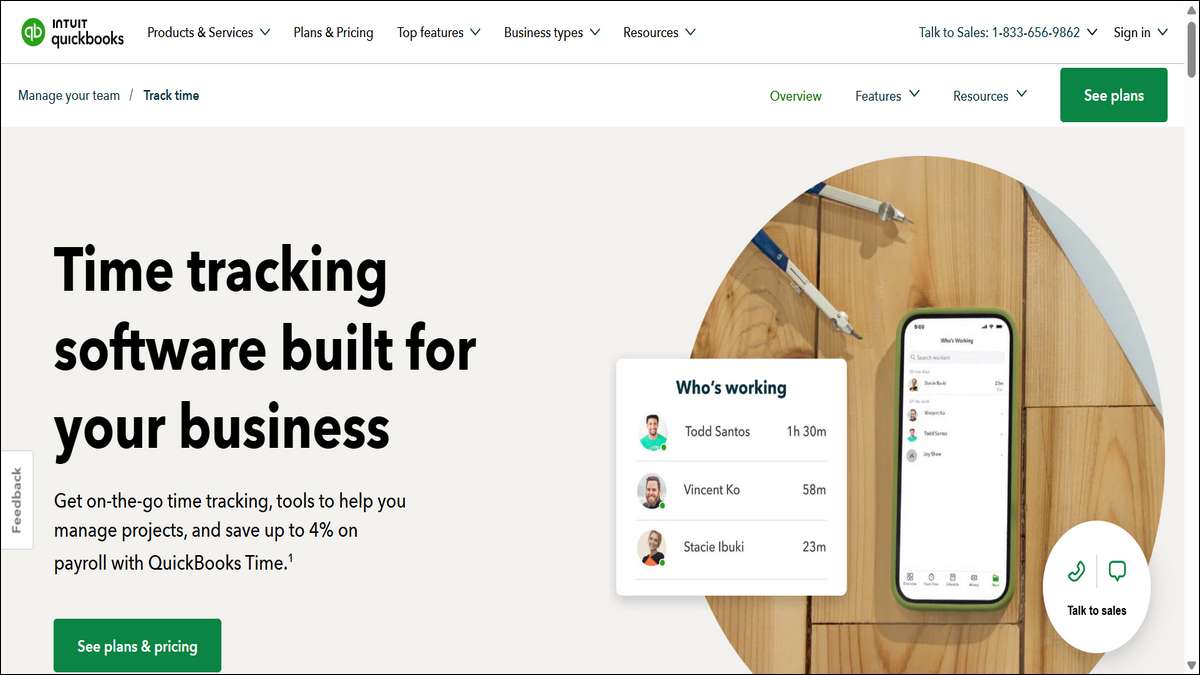
15. QuickBooks Time: Seamless Payroll Integration
QuickBooks Time (formerly TSheets) is a user-friendly tool focused on simplifying payroll. Its robust time-tracking features make it a favorite for businesses using QuickBooks.
Above all, its scalability suits businesses of all sizes.
Key Features
- Real-Time Tracking: Monitors hours across devices.
- Payroll Integration: Syncs directly with QuickBooks and other payroll systems.
- Project Budgeting: Tracks time spent on specific tasks.
- Mobile App: Allows clock-ins from anywhere.
Why We Like It
QuickBooks Time’s seamless payroll integration saves hours of manual work. The mobile app is reliable, and the reporting tools provide clear insights into labor costs.
Even more, its scalability ensures it grows with your business.
Best For
Businesses using QuickBooks for payroll.
Pricing
- Starts at $15/month.
- Free demo available.
Drawbacks
Some features are QuickBooks-specific, limiting flexibility. Similarly, pricing can be high for small teams.
How It Fits Your Needs
If you use QuickBooks, this tool is a no-brainer. You’ll streamline payroll and gain insights into project costs, simplifying management.
Given that all, it’s a practical choice for businesses seeking efficiency.
Visit their official website →here.
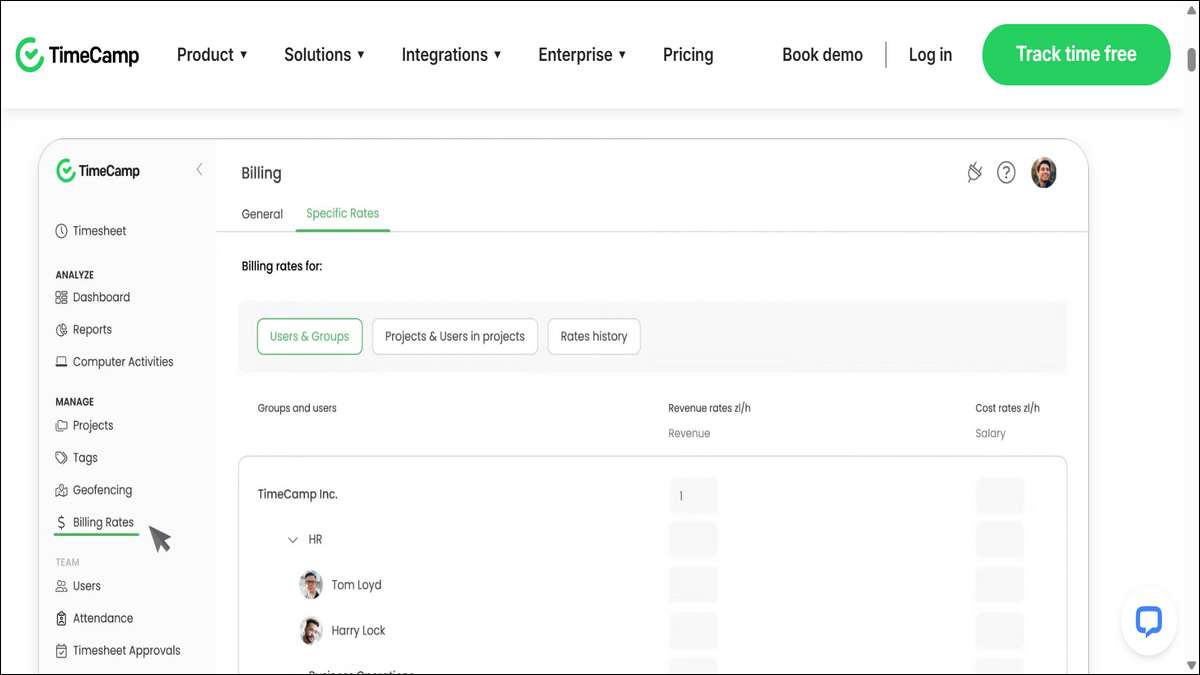
16. TimeCamp: Automated Time Tracking
TimeCamp offers automated time tracking with a focus on productivity. It’s ideal for businesses wanting to monitor time usage without manual input.
Furthermore, its competitive pricing makes it accessible.
Key Features
- Automatic Tracking: Captures time spent on apps and websites.
- Detailed Reports: Analyzes productivity and attendance patterns.
- Payroll Integration: Syncs with QuickBooks and Xero.
- Mobile App: Tracks time on the go.
Why We Like It
TimeCamp’s automation eliminates manual clock-ins, saving time for busy teams. Its detailed reports help you optimize workflows.
Additionally, its pricing is competitive, making it a great fit for small businesses.
Best For
Teams needing automated productivity tracking.
Pricing
- Starts at $3.99/user/month.
- Free plan available.
Drawbacks
Automatic tracking can feel intrusive. Likewise, advanced features require a paid plan.
How It Fits Your Needs
TimeCamp is perfect for hands-off tracking. You’ll gain insights into productivity without micromanaging, and the payroll integration simplifies payments.
So, it’s a great choice for efficiency-focused teams.
Visit their official website →here.
Also read: What is get_ready_bell:client_pulse (And Do You Need It?)
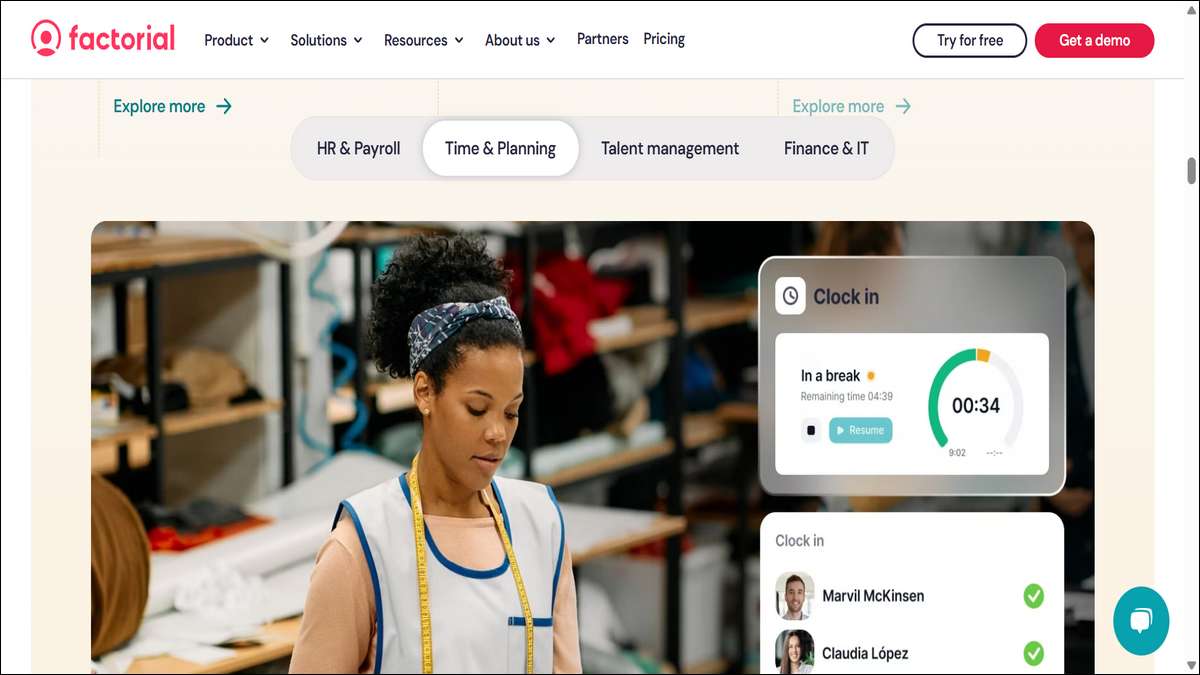
17. Factorial HR Software: Intuitive HR Automation
Factorial is an HR platform with strong attendance tracking features. Its intuitive dashboard and automation tools simplify employee time and record management.
Moreover, its employee-centric design enhances engagement.
Key Features
- Automated Timekeeping: Tracks hours and leave requests.
- Employee Dashboard: Provides self-service access for employees.
- Payroll Integration: Syncs with major payroll systems.
- Compliance Tools: Ensures adherence to labor laws.
Why We Like It
Factorial’s user-friendly design reduces the learning curve. For instance, the self-service portal empowers employees, freeing up HR resources.
Additionally, its compliance tools keep you aligned with regulations, and the analytics provide clear attendance insights.
Best For
Businesses wanting an all-in-one HR solution.
Pricing
- Custom pricing.
- Free demo available.
Drawbacks
Pricing isn’t transparent. Similarly, some integrations require third-party support.
How It Fits Your Needs
Factorial is ideal for businesses seeking a single HR and attendance platform. You’ll save time with automation and keep your team engaged with easy access to records.
In conclusion, it’s a practical choice for streamlined HR management.
Visit their official website →here.

18. Paylocity: Human-Centered Attendance Tracking
Paylocity offers a user-friendly platform combining attendance tracking with HR and payroll. Its focus on employee experience makes it a standout for businesses prioritizing engagement.
And, its robust features enhance its versatility.
Key Features
- Intuitive Tools: Simplifies time tracking and leave requests.
- Mobile App: Allows clock-ins and schedule management.
- Payroll Integration: Syncs with Paylocity’s payroll system.
- Compliance Features: Ensures labor law adherence.
Why We Like It
Paylocity’s clean interface and mobile app are easy for employees to use. The compliance tools are robust, and the reporting features support data-driven decisions.
And its focus on engagement boosts team morale, making it a human-centered solution.
Best For
Businesses prioritizing employee experience.
Pricing
- Custom pricing.
- Free demo available.
Drawbacks
Pricing can be high for small businesses. Likewise, some features require additional setup.
How It Fits Your Needs
Paylocity is ideal for a human-centered approach to attendance tracking. You’ll streamline HR processes while keeping your team engaged and compliant.
As a result, it’s a great fit for businesses valuing employee experience.
Visit their official website →here.
Also read: Adsy.pw/hb3 Helps You Reach Your Digital Marketing Goals
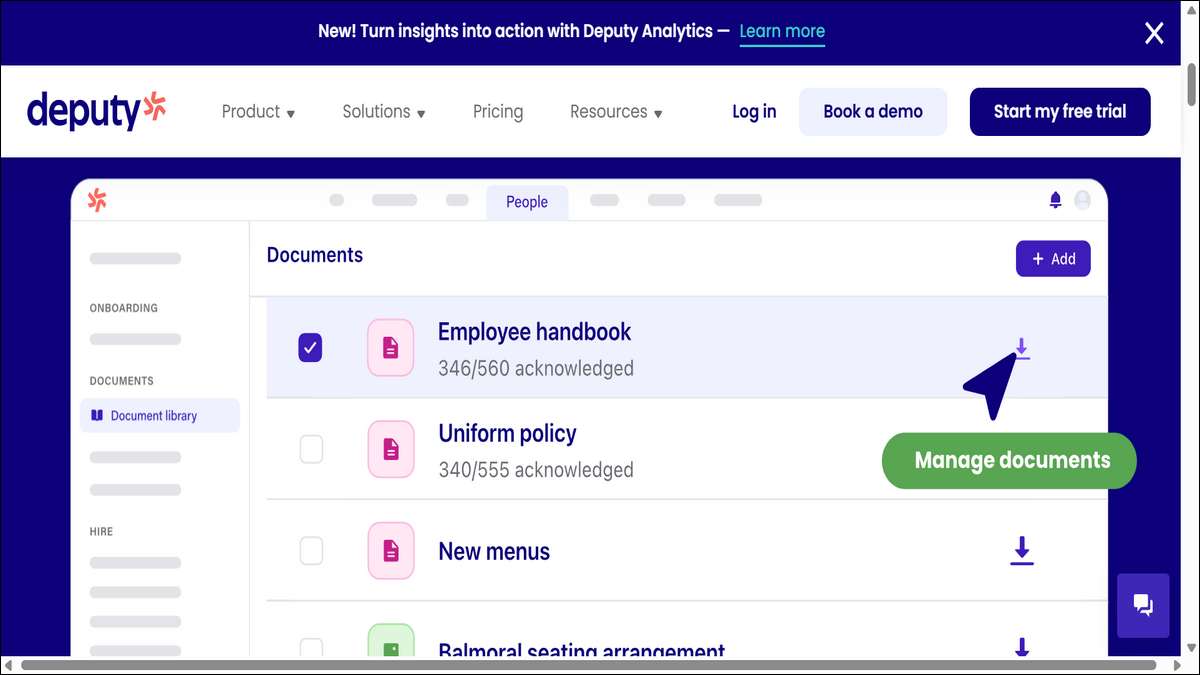
19. Deputy: Shift Management Simplified
Deputy is a workforce management tool designed for shift-based businesses. Its scheduling and time-tracking features simplify managing hourly workers.
Moreover, its user-friendly design enhances its practicality.
Key Features
- Shift Scheduling: Creates and adjusts schedules effortlessly.
- Time Tracking: Monitors hours with GPS verification.
- Payroll Integration: Syncs with Gusto and QuickBooks.
- Mobile App: Allows employees to manage shifts and clock in.
Why We Like It
Deputy’s scheduling engine handles complex shift patterns with ease. The mobile app keeps employees informed, and the labor cost forecasting helps you stay within budget.
Additionally, its integrations streamline payroll, saving you time.
Best For
Shift-based businesses like healthcare or retail.
Pricing
- Starts at $4.50/month.
- Free trial available.
Drawbacks
Reporting features are basic. Similarly, it’s not ideal for salaried employees.
How It Fits Your Needs
Deputy is perfect for managing hourly workers. You’ll reduce scheduling conflicts and ensure accurate payroll with minimal effort.
Furthermore, the mobile app keeps your team connected, improving overall efficiency.
Visit their official website →here.

20. MaxHR: AI-Powered All-in-One Solution
MaxHR is a rising star in 2025, offering AI-powered attendance and HR management. Its all-in-one approach makes it ideal for businesses seeking a scalable, modern solution.
Also, its AI-driven insights set it apart.
Key Features
- AI Insights: Predicts absenteeism and staffing needs.
- Mobile Access: Tracks time and leave via a robust app.
- Payroll Integration: Syncs with ERP and payroll systems.
- Customizable Policies: Adapts to your business rules.
Why We Like It
MaxHR’s AI-driven insights help you stay ahead of attendance issues. The mobile app is intuitive, and the customizable policies fit any business.
Moreover, its scalability ensures it grows with your team, making it a future-proof choice.
Best For
Businesses wanting AI-driven HR solutions.
Pricing
- Custom pricing.
- Free demo available.
Drawbacks
Pricing isn’t transparent. Likewise, AI features may require training to use effectively.
How It Fits Your Needs
MaxHR is perfect for businesses seeking a forward-thinking tool. You’ll benefit from AI insights and automation, saving time on HR tasks.
Thus, it’s an excellent choice for keeping your team productive and engaged.
Visit their official website →here.
Frequently Asked Questions
1. What is attendance tracking software?
Attendance tracking software helps businesses monitor employee work hours, leave requests, and schedules. It automates time tracking, reduces errors, and ensures compliance with labor laws, making payroll and workforce management easier.
2. Why do I need attendance tracking software in 2025?
With remote and hybrid work on the rise, these tools provide real-time data, mobile access, and integrations with payroll systems. They help you manage flexible schedules, track field workers, and stay compliant, saving time and money.
3. Which attendance tracking software is best for small businesses?
Tools like BambooHR, Jibble, and Zoho People are great for small businesses. They offer affordable pricing, user-friendly interfaces, and essential features like time-off management and payroll integration.
4. Are there free attendance tracking software options?
Yes, Clockify and Jibble offer robust free plans with unlimited users and time tracking. These are ideal for startups or small teams looking to manage attendance without upfront costs.
5. How do I choose the right attendance tracking software?
Consider your business size, workforce type (remote, field, or office-based), and budget. Look for features like mobile access, geofencing, or payroll integration that match your needs. Most tools offer free trials to test their fit.
6. Can attendance tracking software help with compliance?
Absolutely. Software like Replicon, Deel, and Paylocity include compliance tools to meet local labor laws, especially for global teams. They ensure accurate records and reduce legal risks.
7. Do these tools work for remote or field-based teams?
Yes, tools like Connecteam, ClockShark, and Truein are designed for mobile or field workers. Features like GPS tracking and facial recognition ensure accurate time tracking, even on the go.