NAS servers are one of the most demanded equipment in recent years to form a complete private cloud in our home. Thanks to these teams, we will be able to centralize the backup copies of our computers and mobile phones, upload all the photos to the private cloud, use programs like Nextcloud to replace Dropbox and Google Drive, as well as take advantage of the capabilities of the NAS to virtualize systems. complete operating systems and even use Docker to install an infinite number of services, and all of this locally to have the best possible privacy and security. If you buy a certain piece of equipment, you should consider upgrading your local network so as not to have a bottleneck, because these equipments are designed to transfer data at high speed.
Currently, the vast majority of local networks work at Gigabit speed, that is, we will have a maximum speed of 1Gbps download and upload simultaneously. This speed is very low for NAS servers as they can transfer data on the local network at speeds up to 5Gbps without much trouble. If you do not properly size your local network, you will have a bottleneck and you will not be able to take full advantage of it.
Check the switch and network cards
Nowadays, the majority of domestic NAS models of medium-high range have Multi-gigabit connectivityeither with one 2.5G Multigigabit port, two 2.5G Multigigabit portsand there are even models that also incorporate one 10G Multigigabit port so as not to have any bottleneck in the home local network. If we have this kind of connectivity, but then you have a router or a switch that doesn’t have these super-fast ports, then you won’t be able to take full advantage of its potential.
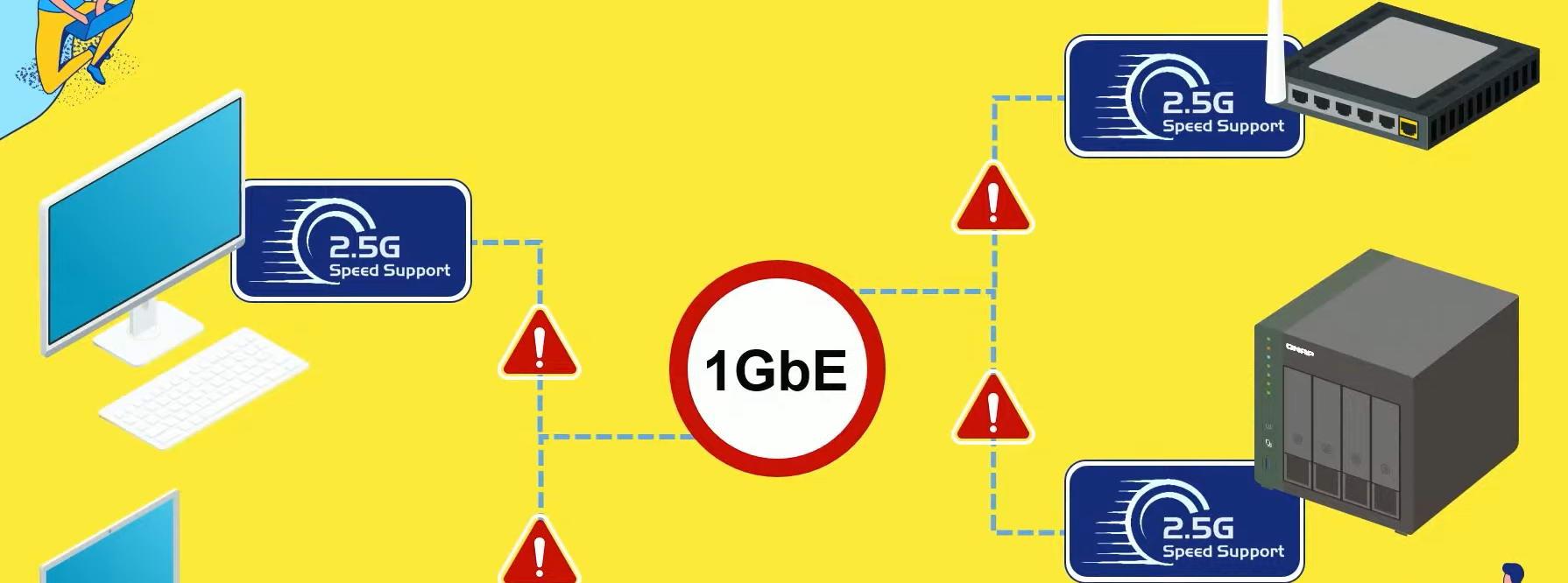
In order to take full advantage of new server models, it is essential to have a switch that has multigigabit ports. It is recommended that they have all or several 2.5G Multigigabit or higher ports, so that you can take full advantage of the speed of the NAS ports. If you buy a NAS model with dual 2.5G Multigigabit ports, then it is recommended that we have at least 3 2.5G ports on our switch, to connect both the NAS and a computer via cable and that we can transfer data at the highest possible speed.
A very interesting model is the D-Link DMS-106XT, a device that has 5 2.5G ports and a 10G Multigigabit port, this is perfect for you to connect your NAS. An important aspect is that it is not manageable, so you will not be able to configure a link aggregation, but you do have the possibility to configure some load balancing from the server.
If the server has two 2.5G ports, our recommendation is that you buy a switch that has at least one 10G port, to connect here a PC with a network card like the one ASUS XG-C100C and make the most of the bandwidth.
The manufacturer QNAP has launched a really interesting function called Samba Multichannel, this feature will allow us to take advantage of the bandwidth of all the physical network ports of the server, so that from the PC we can have maximum reading and writing speed. In this case we do not need a link aggregation to be able to take full advantage of its performance, we simply have to connect two cables to the switch and each interface has a different IP address.
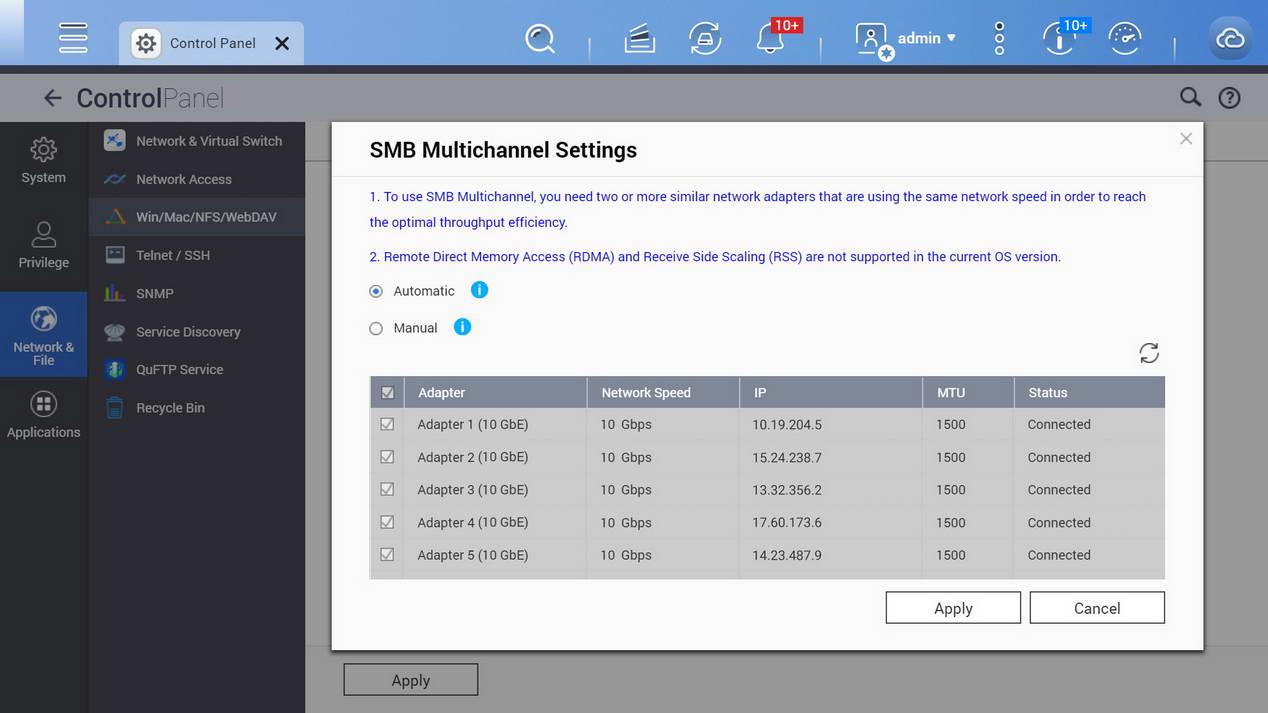
As you can see, it is very important to consider which unmanaged or manageable switch to have, in order to take full advantage of these new speeds. We must bear in mind that a server with a couple of disks in RAID can provide a real speed of more than 2.5Gbps without many problems, so 1Gbps networks will fall short for us.
check the wiring
Although typical Cat5e cables support 2.5G and even 5G multigigabit speeds, our recommendation is that you use Cat6 or higher network cables. Our favorites in recent years are the Cat 7 cables from the manufacturer UGREEN, although they are not too cheap, they will provide us with excellent performance, in addition, they have different lengths and different designs, some are flat and others are made of Nylon.
If you have two ports, then you will have to buy a couple more cables that you will use in the main computer and from which you will squeeze the most out of the server hardware. In this way, we will not have a bottleneck either in the local network or in the cabling you use. An important aspect is that if you plan to transfer data from your PC or to your computer, check that you use SSD drives because if you only have one hard drive the maximum speed will be around 180MB/s in the best of cases.